Asus ZenBook UX31A Should be Recalled Due to ADATA SSD Defect
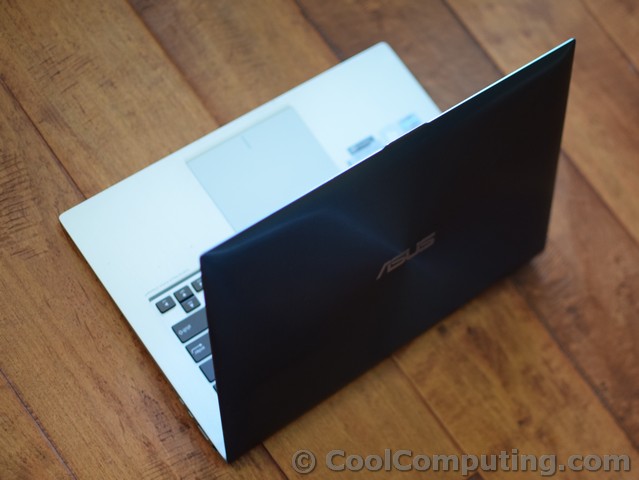
I bought my Asus ZenBook UX31A a little more than a year ago. Recently the sleek ultrabook started to act up on me- I would get the blue screen of death and intermittent freezing. The signs were indicative of the non-user-upgradable, non-replaceable 128GB ADATA Sandforce-based XM11 SSD. I tried to use the windows command (the OS is Windows 7) SFC /scannow, but it would never complete further 41% before failing.
Windows is still usable, but whenever I try to Right Click to create a new file, the computer would freeze. Same thing happens if I tried to search for a program from the Start Menu. Using a Windows 7 installation DVD to run SFC repair would end up not working either. I have also noticed that some of the media files I had stored on the SSD have become corrupted as well.
Googling around, it seems that plenty of people who bought a UX31 from Asus, and has the unfortunate luck of having the ADATA XM11 (instead of a slower Sandisk SSD) have this problem. So you'd think that a product recall should be in place. I mean, an Ultrabook that cost nearly $1000 brand new should NOT become unusable, prone to data loss, after only a little more than a year, and personally it was not a PC that I used daily. Unfortunately, this has not happened- Asus has not recalled the laptop and it does not appear that it has any plan to. But hey maybe Asus recognizes this problem, and would offer to repair the issue for free. Worth a try, I thought, so I submitted an RMA Request at Asus.com. After *12* days, they finally got back to me, and this was their reply:
You are receiving this email to hereby acknowledge your online RMA request. This is also a confirmation that based on your date of purchase (if provided) and/or serial number, your ASUS product is no longer within the standard ASUS manufacture warranty period. Please be advised that warranty terms vary depending on what type of ASUS product you have.
If you would like to have your product serviced, an Out of Warranty RMA has been issued; however we want to inform you that the following fees which include Part (s), Labor, Shipping, and Sales Tax if applicable (California and Canada residents) will be applied. Below is an estimated quote for the repair based on your description of the problem. Please keep in mind that this is only an estimate; the repair technician will provide the actual cost of repair once it has been inspected. Your RMA instructions will be sent in a separate email.
Quote (Estimate Only): Estimate: $136 for repair of UX Series (UX 21 / UX31, etc) - HDD
Wow- selling a defective product and then wanting to make money from the repair of it. Well forget you Asus. Guess what brand I will avoid in the future? I strongly urge that anyone affected by this issue to complain to them, and also to write to the proper agencies to get more awareness of this problem.
BTW I tried to see if ADATA had a firmware that would fix this problem for the XM11. After all, Sandforce had released an update that was supposed to address this defect. So I went to ADATA.com, and downloaded their Firmware Field Updater program. I ran it on the UX31A, and was elated to see that it recognized the drive. The firmware version listed was 5.0.1, the one that had the notorious TRIM problem.
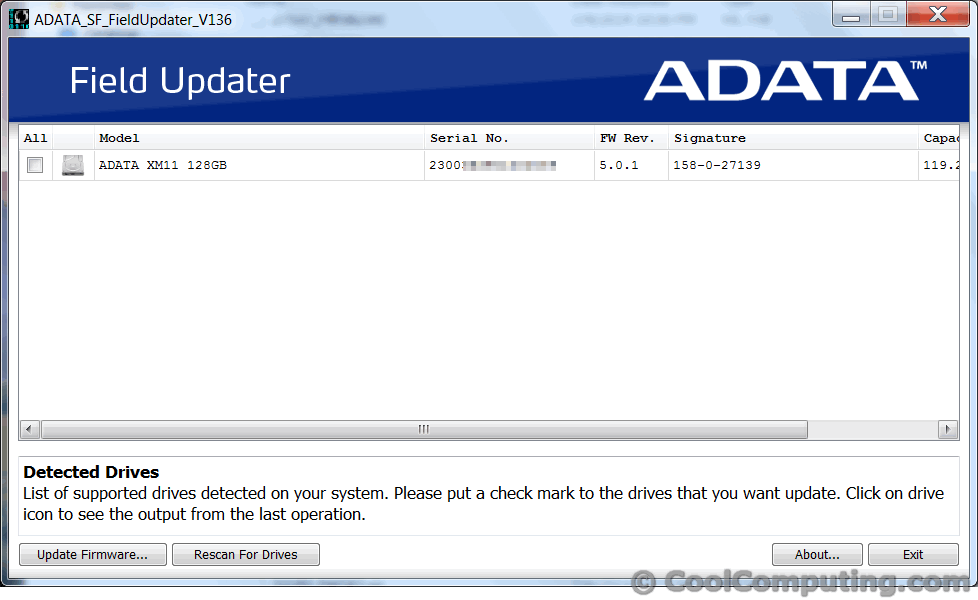
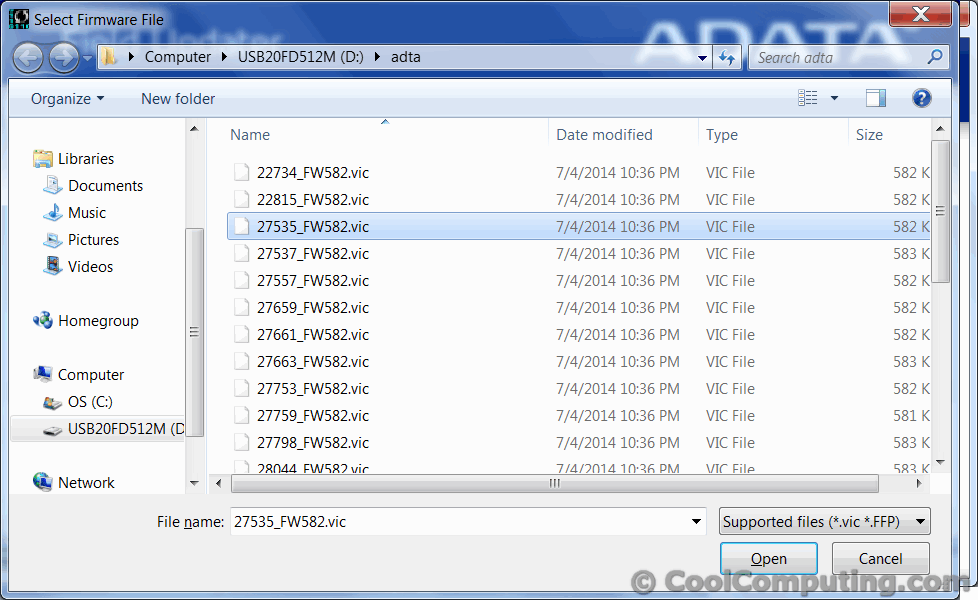
My hopes, however, were quickly dashed as there were no ".vic" file that matched the first 5 digits of the serial number. There needed to be a file that began with 23003, but as you can see below, none was available. You kind of have to wonder why there wasn't any update or the XM11, as it seems that most the other A-DATA Sandforce SSDs have firmware revisions to fix the issue. Again, shame on Asus and ADATA.
Options for Owners Who Are Out of Warranty (Like Me)
So are we screwed? Not quite. Of course it would be nice for Asus to recall the notebook, but failing out, there are some options.
- Replace the SSD with a compatible one. The UX31A uses a proprietary SATA connection and not the standard mSATA/m.2 format. There are some eBay sellers offering replacement SSD's, but unfortunately they cost more than $200 at last check. So if you want to go this route, it might be better to bite the bullet and get it done through Asus.
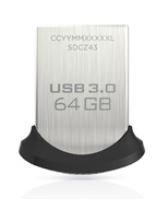 Plug in a low-profile, USB 3.0 drive and re-install Windows on it. The Sandisk Ultra Fit 64GB seems like the best choice. It is speedy for such a low-profile USB drive, though too bad there isn't a 128GB version available yet. Of course, you could plug in a standard-sized USB stick which can be as large as 256GB, but it would be poking out and be prone to be accidentally dislodged.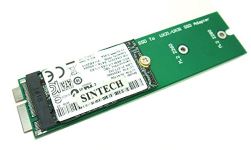
As for myself, I have not yet determined what my next course of action is. Option 3 seems to be the best long term solution, but if Asus would get their act together and recall the product, my (and I'm sure many others') perception of the company will certainly improve. If it doesn't happen, I hope the proposed fixes offered will help you get your UX31 Ultrabook back up and running, perhaps even better than ever.
Addendum:
After seeing so many comments to this story, I feel compelled to share the aftermath. Since this fiasco and how they treated me, I have always avoided ASUS products, and I bought a lot of IT equipment. The last straw was when the machine's Windows 7 CD key wouldn't work on a new installation when I replaced the faulty SSD with a new 128GB one (using the adapter I specified above). When I contacted ASUS they said too bad, so I had to pay $ to buy a license on my own on top of it. The whole ordeal wasted an entire work day of back and forth phone calls between Microsoft and Asus. I even filed a BBB complaint and Asus didn't budge a bit.
Never ever again will I support this company that does not stand for the quality of its product, nor provide any sense of customer service.