Printing from PHP directly to a PCL printer (Linux)
Posted by: david on 11/25/2014 - 01:09 PM
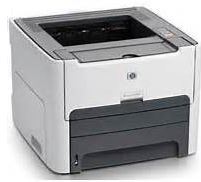 Let's say that you've built a web application with neat HTML tables & forms, and you want your users to be able to click on a button and send the page directly to a PCL printer from your app. Or you want the web application to automatically print the html form to a PCL printer. Here is how to do it with PHP:
- Output the html to a temporary file, e.g.
fopen($tmp_file, "w+") or die ("Print error: Can't write file $tmp_file.");
- convert the html file into a postscript file using the Perl command line utility "html2ps" (download html2ps) - e.g.:
exec("html2ps /tmp/form.html > /tmp/form.ps"); Of course you would need to have Perl installed
- convert the postscript file to PC using ghostscript, e.g.:
exec("gs -sDEVICE=laserjet -sPAPERSIZE=letter -sOutputFile=/tmp/form.pcl -dNOPAUSE -q /tmp/form.ps -c quit");
In this case you are converting the file form.ps into form.pcl - Next, simply use lpr -P$name_of_your_print_queue to print the file - for instance, using the printer name of "my_laserjet":
exec("lpr -Pmy_laserjet /tmp/form.pcl");
Now this is all assuming that you have already setup the print queue. If any problem arises, try to use the lpr command to print to the printer directly first. When you are all done, close the temporary file:
fclose('/tmp/form.pcl')