Belkin N750, N600, N450 Router Disable 5 GHz Wireless
Posted by: david on 10/08/2011 - 10:50 PM
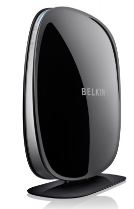 I recently bought the Belkin N750 Router (via Amazon) because it had terrific benchmarks when it came to range on the 2.4 GHz spectrum. But since I don't use the 5 GHz radio (which had short range anyways) I thought I'd turn it off. I also plan on using the HP Wireless TV Connect which uses WHDI utilizing the 5 GHz spectrum, so I didn't want any interference with it either. But there didn't seem to be an obvious way to deactivate the 5GHz 802.11n functionality on the N750. I poked around the settings and low and behold- there is a way- not sure how I missed it, but hopefully this will help those of you out there who would like the shutdown the 5 GHz wireless on your Belkin N750 DB (aka Belkin F9K1103).
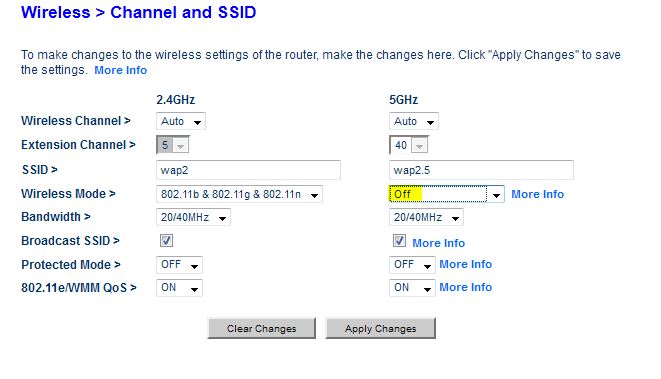
 1)On the admin page, click on Channel and SSID on the left side.
2)Enter your password if you haven't logged in.
3)For the 5GHz section on the right, under the drop-down wireless mode, there are several options including "802.11 a", "802.11 n", and "802.11 a & 802.11 n". But the VERY FIRST option is, guess what, "OFF". Pick that, click "Apply Changes", the router will reboot and the 5GHz radio is off. You can do the same for the 2.4GHz radio too if you just want to run the N750 as a 5GHz wireless device.
See screenshot below:
BTW I'm using the N750 as a pure wireless access point only (easily done via the link "Use as an Access Point" on the menu) as I have another dedicated device for routing. Since the Belkin N600 and N450 use pretty much the same user interface, these instructioins will also work to shut off the 5 GHz spectrum for those routers as well.