Articles: Windows Media Center Slow Motion
Posted by: david on 01/26/2013 - 04:24 PM
Earlier this morning I was watching the 2013 Australian Open Women's Finals match on my Windows 8 Media Center PC. Too bad Li Na lost! But I was looking at the technique of these great players hitting forehands and backhands. I wanted to see how they moved their feet as they struck the ball, but even though I could pause and go back to examine specific movements, I didn't know how to have Windows Media Center do slow motion forward.
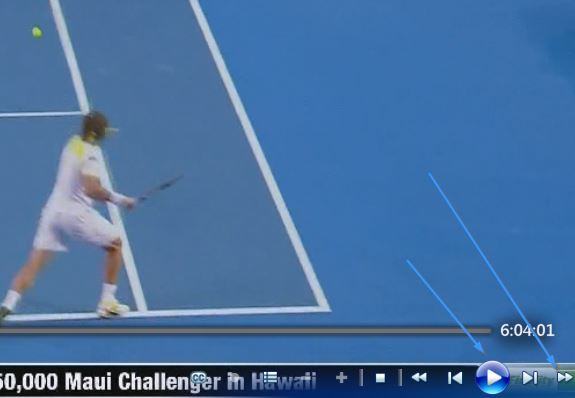
I played around with the controls, and it turns out that you can do this by first pressing PAUSE, then press the fast-forward button (>>). Then the video will go at what feels like 1/4th speed.
I tried to go backward in slow motion by pressing pause, and then the fast-reverse (
Also unfortunately I still haven't figured out nor found out how to do frame-by-frame in Windows Media Center for Windows 7 or 8, but at least the slow motion forward helps. Hopefully Microsoft will consider adding frame-by-frame advance and slow motion rate control to Windows Media Center in the future.
I played around with the controls, and it turns out that you can do this by first pressing PAUSE, then press the fast-forward button (>>). Then the video will go at what feels like 1/4th speed.
I tried to go backward in slow motion by pressing pause, and then the fast-reverse (
Also unfortunately I still haven't figured out nor found out how to do frame-by-frame in Windows Media Center for Windows 7 or 8, but at least the slow motion forward helps. Hopefully Microsoft will consider adding frame-by-frame advance and slow motion rate control to Windows Media Center in the future.